Understanding Code Pushdown Technique in SAP ABAP on HANA – Complete Practical Guide
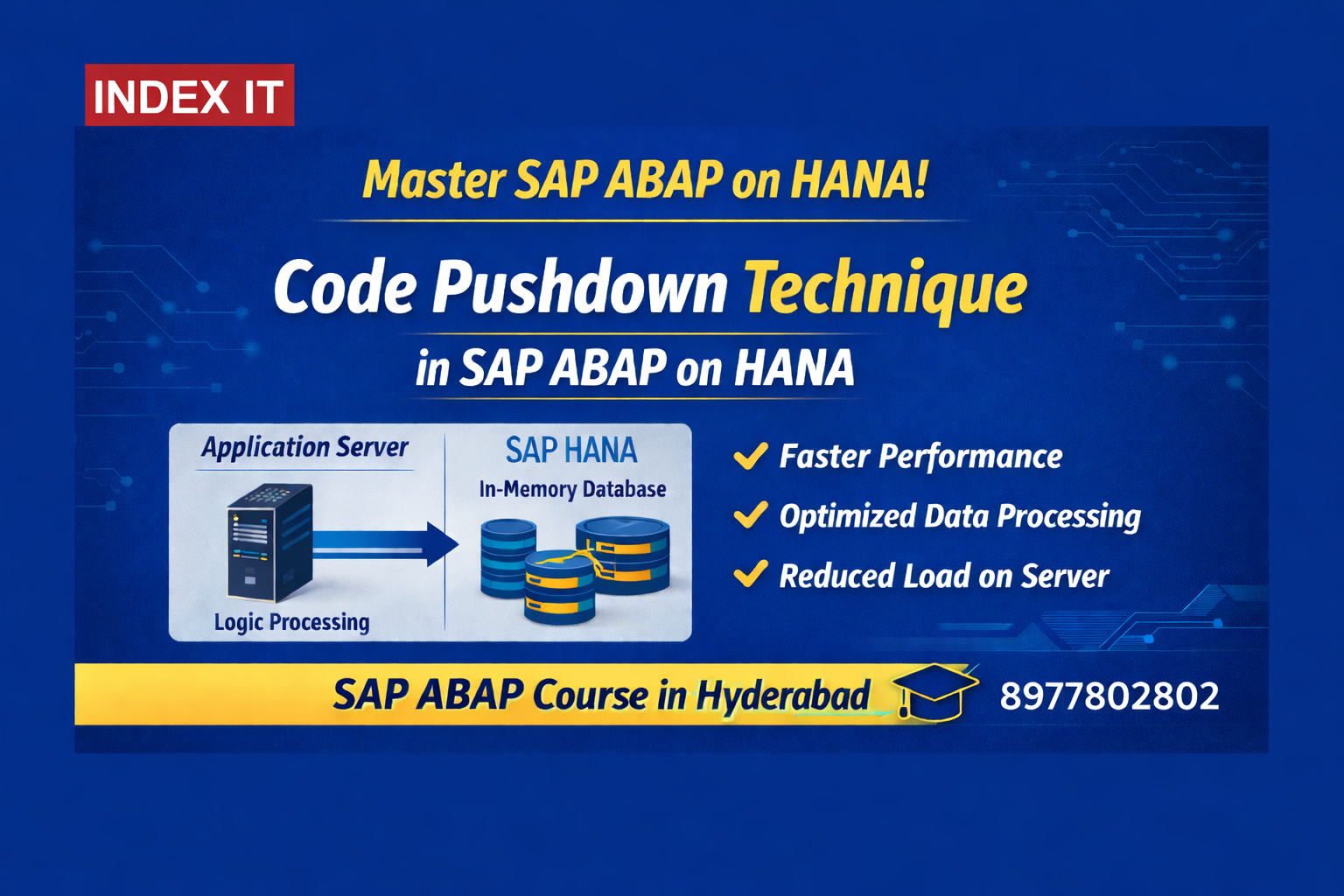
Learn Code Pushdown Technique in SAP ABAP on HANA with real-time training at Index IT – SAP ABAP Course in Hyderabad.
Modern SAP development has completely transformed after the introduction of SAP HANA and SAP BTP ABAP Environment.
If you are planning to build a career in S/4HANA or ABAP on Cloud, understanding Code Pushdown Technique and CDS Views is mandatory.
If you're looking for structured hands-on training, check our detailed SAP BTP ABAP Course in Hyderabad where we cover CDS, RAP, BTP, and real-time project implementation.
Traditional ABAP Architecture (Before HANA)
In classical ABAP:
- Data stored in Database Layer
- Logic executed in Application Layer
- Output shown in Presentation Layer
When we fetch:
- 10,000 sales orders
- 50,000 item records
And display only 10 aggregated results…
We still:
- Fetch full dataset
- Loop through records
- Perform calculations in ABAP
This consumes:
- High memory
- More CPU
- Network bandwidth
- Processing time
This model is called:
Data-to-Code Paradigm
What is Code Pushdown Technique?
With SAP HANA (In-Memory Database), SAP introduced a smarter and more efficient way of processing data.
Instead of:
- ❌ Bringing large volumes of data to ABAP
- ❌ Processing data using loops in the application layer
We now:
- ✅ Push business logic directly to the database layer
- ✅ Use SAP HANA’s powerful in-memory engine
- ✅ Fetch only the final processed results
Code-to-Data (Code Pushdown) Technique
This performance optimization concept is deeply explained in our 👉 SAP ABAP Course in Hyderabad with real-time project scenarios and detailed performance comparisons.
Technologies Used for Code Pushdown
SAP provides three major approaches to implement Code Pushdown Technique in SAP ABAP on HANA:
- CDS Views (Core Data Services)
- AMDP (ABAP Managed Database Procedures)
- New Open SQL Syntax
Among these, CDS Views are the most widely used approach in S/4HANA and SAP BTP ABAP projects because they provide better performance, reusable data models, and seamless integration with Fiori and OData services.
What are CDS Views?
CDS (Core Data Services) are a modern data modeling approach in SAP ABAP on HANA that enable developers to define and process business logic directly at the database layer.
CDS Views allow developers to:
- Define semantic data models
- Push aggregation logic to the database
- Create reusable business views
- Improve application performance significantly
CDS Views are created in:
- Eclipse (ABAP Development Tools)
- SAP BTP ABAP Environment
CDS Views are not created in traditional SE11, as they are part of the modern ABAP development model optimized for SAP HANA.
CDS View vs CDS View Entity
In SAP ABAP on HANA, there are two ways to define Core Data Services:
Older Syntax:
DEFINE VIEW
New Recommended Syntax:
DEFINE VIEW ENTITY
Why Use View Entity?
- No separate SQL view required
- Cleaner and simplified structure
- Aligned with modern ABAP standards
- Better long-term maintainability
If you're learning S/4HANA development, always focus on CDS View Entity, as it is the recommended and future-proof approach.
We teach both legacy and modern approaches in our 👉 SAP ABAP Course in Hyderabad so students can confidently handle real-time S/4HANA systems.
Types of CDS Views (Very Important for Interviews)
In SAP ABAP on HANA, CDS Views are categorized based on their purpose and usage. Understanding these types is extremely important for S/4HANA interviews and real-time project implementation.
SAP categorizes CDS Views into different layers based on how the data is modeled, combined, and consumed in applications like Fiori, OData, and Analytics.
1️⃣ Interface View (I_)
Interface Views are the foundation layer in CDS architecture. They directly expose database tables or basic business logic.
- Expose table fields
- Add simple calculations
- Define associations
- Reusable across multiple applications
Naming Convention Example: I_SalesOrder, I_Product
2️⃣ Composite Interface View
Composite Views combine multiple interface views or tables and apply additional business logic such as joins, filters, and aggregations.
- Join multiple data sources
- Apply aggregation (SUM, COUNT, etc.)
- Implement advanced business logic
- Prepare data for consumption layer
3️⃣ Consumption View (C_)
Consumption Views are created for front-end usage such as SAP Fiori, OData Services, and Analytics.
- Add UI annotations
- Define labels and search help
- Enable filtering and sorting
- Used in Fiori applications
Naming Convention Example: C_SalesReport
4️⃣ Private View (P_)
Private Views are used internally by SAP and are not intended for direct customer consumption.
- Internal framework usage
- Not exposed externally
- Supports SAP standard logic
💡 Interview Tip: Always explain CDS layering as Interface → Composite → Consumption when answering S/4HANA interview questions.
Classic ABAP vs Code Pushdown (CDS) – Performance Comparison
| Feature | Classic ABAP | CDS / Code Pushdown |
|---|---|---|
| Processing Layer | Application Server | Database Layer (HANA) |
| Data Transfer | Large dataset fetched | Only final result fetched |
| Performance | Slower for large volumes | Optimized & Faster |
| Aggregation | Handled in LOOP | Handled in Database (SUM, GROUP BY) |
| Memory Usage | High | Low |
| Future Relevance | Legacy approach | S/4HANA Standard |
🚀 In modern S/4HANA and SAP BTP ABAP projects, Code Pushdown using CDS Views is the recommended and performance-optimized approach.
Frequently Asked Questions (FAQs)
1. What is Code Pushdown Technique in SAP ABAP?
Code Pushdown Technique is an optimization approach where business logic is executed at the database layer (SAP HANA) instead of the application server, improving performance and reducing data transfer.
2. What are CDS Views in SAP?
CDS (Core Data Services) Views are modern data modeling objects in SAP ABAP on HANA that allow developers to define semantic data models and push processing logic to the database layer.
3. What is the difference between CDS View and CDS View Entity?
CDS View Entity is the modern recommended syntax that does not create a separate SQL view, offering better maintainability and alignment with S/4HANA development standards.
4. Why are CDS Views important in S/4HANA?
CDS Views are important because they enable high-performance applications by utilizing SAP HANA’s in-memory processing and support Fiori, OData, and analytics integration.