Our Location
Index IT SAP St, Gayatri Nagar, Srinivasa Nagar,
Ameerpet, Hyderabad, Telangana - 500016
Phone: +91-8977802802
Email: indexit4sap@gmail.com
Index IT SAP St, Gayatri Nagar, Srinivasa Nagar,
Ameerpet, Hyderabad, Telangana - 500016
Phone: +91-8977802802
Email: indexit4sap@gmail.com
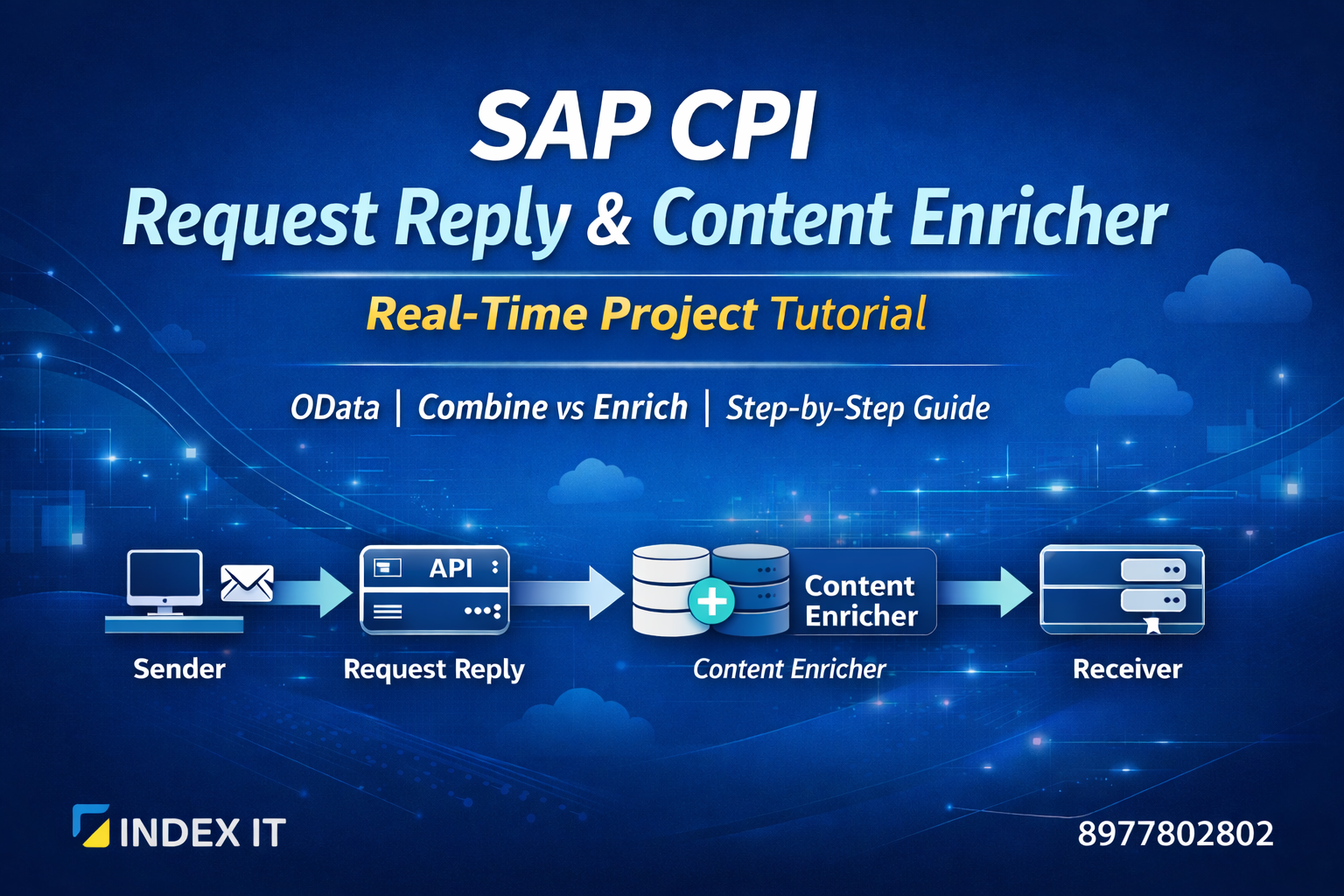
If you are learning SAP Cloud Platform Integration (SAP CPI), understanding Request Reply and Content Enricher is extremely important for real-time integration projects.
These two concepts are widely used in enterprise-level SAP integration scenarios where systems communicate synchronously and data needs to be enhanced dynamically.
This guide is designed for beginners as well as working professionals who want practical understanding of SAP CPI integration concepts.
If you want structured hands-on learning with real-time projects, check our SAP CPI Training in Hyderabad program designed for working professionals and beginners.
Enroll in SAP CPI Training TodaySAP Cloud Platform Integration (SAP CPI) is SAP’s cloud-based middleware solution used to integrate different enterprise systems securely and efficiently.
It enables seamless communication between various systems such as:
SAP CPI works using Integration Flows (iFlows), where developers configure adapters, mappings, routing logic, and message transformations to enable real-time and secure data exchange between systems.
In SAP CPI, external system communication is managed using the Call palette inside an Integration Flow (iFlow).
The Call palette provides different options to interact with external systems depending on whether the communication is synchronous or asynchronous.
Inside the Call palette, we have:
Each option serves a different purpose based on integration requirements, message flow design, and whether a response from the target system is expected.
Request Reply is a synchronous communication pattern in SAP CPI used when a system sends a request and waits immediately for a response from the target system.
It is commonly used when integrating with external services such as OData services, REST APIs, SOAP services, or HTTP endpoints where a real-time response is required.
In Request Reply, the original message payload is replaced with the response received from the external system.
This makes it ideal for scenarios where only the response data is required for further processing in the Integration Flow.
In SAP CPI, the Request Reply pattern follows a clear synchronous communication architecture where one system sends a request and waits for an immediate response from the target system.
The basic flow structure looks like this:
In SAP CPI, communication with external systems is possible only through adapters. The adapter acts as the technical bridge between your integration flow and the external application.
Once the response is received, the original message body is replaced with the response payload and passed to the next step in the integration flow.
In SAP CPI, the OData adapter is commonly used with the Request Reply step to fetch data from external systems. Let us understand the step-by-step configuration process.
Go to your Integration Flow (iFlow) and add the Request Reply step from the Call palette. Connect it to a Receiver.
Choose OData V2 Adapter as the receiver adapter (if the target service supports OData V2 protocol).
Select the operation type as Query (GET) to retrieve data from the OData service.
In the Resource Path section, select the required entity such as Products, Orders, Employees, or Customers.
You can also generate an XML schema definition to define the structure of the response payload.
Once deployed, the Request Reply step will call the OData service and replace the original payload with the response received from the external system.
Content Enricher in SAP CPI is used to enhance or merge additional data into the existing message payload without completely replacing it.
Unlike Request Reply, which replaces the original payload with the response data, Content Enricher allows you to modify or combine the current message with data retrieved from another source.
Content Enricher is commonly used in enterprise projects where related data from multiple entities must be combined into a single structured message.
It supports different aggregation algorithms such as Combine and Enrich, depending on how the data needs to be merged.
In SAP CPI Content Enricher, two aggregation algorithms are available: Combine and Enrich. Understanding the difference between these two is critical for real-time integration scenarios.
The Combine option simply joins the original payload and the external response payload together without applying any key-based matching logic.
The Enrich algorithm is used when two entities share a common key field. It merges data based on matching values between the source payload and the external response.
| Feature | Combine | Enrich |
|---|---|---|
| Key Mapping Required | No | Yes |
| Logic Applied | Simple Merge | Match & Merge Based on Key |
| Real-Time Usage | Basic Scenarios | Enterprise Projects |
In real-time SAP CPI projects, the Enrich option is more commonly used because enterprise systems usually share common key fields such as CustomerID, EmployeeID, or OrderID.
In real-time enterprise projects, SAP CPI is often used to combine related data from multiple entities into a single structured payload. This is where the Content Enricher plays a critical role.
Assume we are retrieving Orders data from an OData service. The Orders entity contains the following fields:
However, the business requirement is to include full Customer details and Employee details inside each Order record.
Using the Enrich aggregation algorithm, we can:
As a result, instead of sending separate entities, we deliver a single enriched message structure containing:
This approach is widely used in real-time SAP integration projects where downstream systems expect consolidated data in one structured format.
Understanding this concept is essential for anyone preparing for SAP CPI interviews or working on live integration implementations.
Let us now understand the complete integration flow combining Request Reply and Content Enricher in SAP CPI.
In this complete flow, the Request Reply step replaces the initial payload, while the Content Enricher steps enhance the payload without replacing it.
This architecture is commonly implemented in real-time enterprise SAP integration projects where multiple related entities must be consolidated into a single response message.
In this tutorial, we explored how Request Reply enables synchronous communication in SAP CPI and how the Content Enricher enhances payloads using Combine and Enrich algorithms.
These concepts are essential for building real-time enterprise integration scenarios where multiple entities must be merged into a single structured response.
Understanding these topics not only strengthens your technical skills but also prepares you for SAP CPI interviews and live project implementations.
If you want structured, practical learning with real-time scenarios, join our SAP CPI Course in Hyderabad program designed for beginners and working professionals.
