How Python Works: Interpreter, PVM and Dynamic Typing
Most beginners start Python by typing print("Hello World") and seeing the output. That is a good first step, but it leaves a gap. Many learners can write small programs without knowing what happens between pressing Run and seeing a result. Understanding how Python works closes that gap, and it makes every later topic easier, from data structures to object-oriented programming.
This guide follows one Python program from source file to output. Along the way it covers the interpreter, bytecode, the Python virtual machine (PVM), dynamic typing, platform independence and the library ecosystem. It also corrects a few popular half-truths that confuse new programmers.
What Is Python?
Python is a general-purpose, high-level programming language. Guido van Rossum, a Dutch programmer, started it in the late 1980s, and the first public release followed in 1991. Python 1.0 arrived in 1994, Python 2.0 in 2000, and Python 3.0 in 2008. The name does not come from the snake. Van Rossum named it after the British comedy series Monty Python's Flying Circus.
Today Python appears in web development, data analysis, data science, machine learning, automation, networking, game development and IoT projects. It also sits underneath most modern AI tooling, so anyone who wants to work with machine learning or generative AI eventually needs a solid grip on the language itself. Copy-pasting code from the internet works only until something breaks.
Python's popularity comes from one design choice. It removes ceremony. Compare a simple greeting in Java:
public class Hello {
    public static void main(String[] args) {
        System.out.println("Hello World");
    }
}
with the Python version:
print("Hello World")Five lines of structure shrink to one. You do not declare a class, you do not write a main method, and you do not import a header file. You write logic and run it. That is why many teachers recommend Python as a first language. Once you understand its model, picking up a second language becomes much easier.
Why Understanding How Python Works Is Important
You can write Python for months without knowing what an interpreter does. Sooner or later, though, you will meet a confusing error, a strange id() result, a script that behaves differently on a colleague's laptop, or legacy code that refuses to run. Knowing how Python works turns those moments from mysteries into short debugging sessions.
Four practical benefits stand out:
- Better debugging. You can tell a syntax error from a runtime error and know when each one appears.
- Cleaner code. Once you understand names and objects, you stop making type-related mistakes.
- Portability confidence. You know why a script written on a Mac usually runs on Windows or Linux without changes.
- Interview readiness. Questions such as "Is Python compiled or interpreted?" and "What is dynamic typing?" appear in almost every beginner-level Python interview.
For professionals who already work in another stack, the model matters even more. An SAP developer used to declaring every field with an explicit type in SAP ABAP programming, for example, will find Python's approach surprising at first. The next sections explain why it is designed that way.
Key Concepts Behind the Language
Before following a program step by step, it helps to name the moving parts.
Source file. A Python program is saved in a text file with the .py extension, such as hello.py. It holds human-readable code.
Interpreter. The interpreter is the program that reads your source code and executes it. When you install Python 3, the interpreter comes with it. The default implementation is called CPython.
Bytecode. The interpreter translates your source code into bytecode, a compact, low-level set of instructions. Bytecode is not machine code for a specific processor.
Python virtual machine (PVM). The PVM is the runtime engine that executes bytecode instruction by instruction. The term is informal, since it is the part of the interpreter that runs the bytecode, but it is useful for understanding portability.
Dynamic typing. You never declare a variable's type. Python works it out from the value you assign, at runtime.
Keywords. Keywords are reserved words such as if, for, def, class and import. Python has a small set of them, roughly 35 in recent 3.x releases. You can list them with import keyword; print(keyword.kwlist). Note that int, float and bool are not keywords. They are built-in types.
Libraries. Python ships with a standard library and has a vast ecosystem of free third-party packages. This is a big reason the language is so productive.
Business Process Overview: From Source Code to Output
Think of Python's execution as a short pipeline:
- You write code in a
.pyfile. - Next, the interpreter reads the file and checks the syntax.
- It then compiles the code to bytecode.
- The PVM executes that bytecode.
- Finally, the program produces output, or an error.
Nothing in this pipeline asks you to run a separate compile command. You type python hello.py, and all five stages happen automatically. That convenience is the reason people call Python an "interpreted" language, although the full picture is a little more nuanced, as the next section shows.
Step-by-Step: Following One Program Through Python
Take this tiny script, saved as hello.py:
print("Welcome to the programming world of Python")Step 1: Write the source code. You can use any editor. Beginners often start with Jupyter Notebook because each cell shows its output immediately, which is ideal for experiments. Most working developers move to VS Code or PyCharm for larger projects, since those tools handle multi-file programs, debugging and version control comfortably.
Step 2: Run the file. From a terminal, you run python hello.py. If the command is not recognised on Windows, the Python folder is usually missing from the PATH variable. This is the most common first-day installation problem, and it has nothing to do with your code.
Step 3: Parse and compile. The interpreter parses the file. If it finds a syntax error, it stops here and reports it. Otherwise, it compiles the code into bytecode in memory.
Step 4: Cache the bytecode (for imported modules). When your program imports another module, CPython can save that module's bytecode in a .pyc file inside a __pycache__ folder. The next run then skips recompilation if the source has not changed. The script you run directly is normally compiled each time without being cached. Many tutorials skip this detail.
Step 5: Execute on the PVM. The virtual machine walks through the bytecode and carries out each instruction. The text appears on screen.
If you are curious, the standard library's dis module lets you disassemble a function and see the bytecode instructions yourself. It is a quick way to turn an abstract idea into something concrete.
Is Python Compiled or Interpreted?
This question causes more confusion than it should. The short, honest answer is that Python is both, in a sense.
Python does compile your code, but it compiles to bytecode, not to native machine code, and it does so silently. Java works in a similar way: javac produces bytecode, and the JVM runs it. The difference is that Java makes compilation a separate, visible step, while Python hides it inside the run command. C, by contrast, compiles straight to machine code for a particular operating system and processor.
So when someone says "Python is interpreted," they mean that you do not manage a compile step and that an interpreter drives execution. That is a good working definition for beginners.
What "line by line" really means
A common classroom explanation says that Python executes code line by line, so if line 201 contains an error, lines 1 to 200 still run. That is true for one category of error but not for another.
- Syntax errors are caught before execution begins. A missing colon, a broken indent or an unclosed bracket stops the whole file from running. Python never reaches line 1.
- Runtime errors happen while the program runs. A
NameError,ZeroDivisionErrororTypeErroron line 201 means lines 1 to 200 already ran and their output is visible. Execution then halts at line 201.
This distinction matters in practice. If your script prints nothing at all and shows an error immediately, suspect syntax. If it prints some output and then crashes, suspect runtime logic. Jupyter Notebook blurs the picture slightly because each cell is compiled separately, so one cell can succeed while the next one fails.
Compare this with a classic C workflow. The compiler reads the entire program, and one mistake anywhere blocks the executable from being built. Python gives you quicker feedback for small experiments, which is one reason beginners find it forgiving.
Dynamic Typing in Practice
Dynamic typing is the most important idea for anyone coming from C, Java or ABAP. In those languages, you declare a type first. In Python, you do not.
a = 10
print(type(a))   # <class 'int'>

a = "ABC"
print(type(a))   # <class 'str'>
The same name, a, first refers to an integer and then to a string. Python decides the type from the value at runtime. The type belongs to the object, not to the variable name.
Variables are labels, not boxes
Many courses explain a variable as a labelled box that holds a value. That picture works for a minute, then breaks. A better model is that a variable name is a label attached to an object in memory. Reassigning the name moves the label to a different object. It does not overwrite the old box.
You can see this with id(), which returns the identity of an object (in CPython, effectively its memory address):
a = 10
print(id(a))

a = 20
print(id(a))   # different from the first

a = "ABC"
print(id(a))   # different again
Each value is a separate object with its own identity. At any moment, a points to exactly one of them. The earlier objects are not "stored at a second address for the same variable." They are simply different objects, and the name moved. When nothing refers to an object any more, Python's memory management can reclaim it.
One more curiosity: CPython caches small integers (roughly from -5 to 256). If you write x = 10 and y = 10, both names usually refer to the very same object, so id(x) == id(y). That is an implementation detail, so never build logic on it. The official Python data model reference explains objects, identity and types in full.
Dynamic does not mean careless
Dynamic typing is often confused with weak typing. Python is dynamically typed but strongly typed. It will not silently mix incompatible types:
x = 10
y = 20
print(x + y)       # 30

x = "10"
y = "5"
print(x + y)       # "105" (string concatenation)

print("10" + 5)    # TypeError
Adding two integers gives arithmetic. Two strings joined with the plus sign are concatenated. Mixing a string with an integer raises an error. The behaviour of + depends on the types of the objects involved, and Python checks this when the line runs, not before.
This leads to a classic beginner surprise. The built-in input() function always returns a string, even when the user types digits. If you add two inputs without converting them, you get concatenation instead of a sum. Wrap the values in int() or float() when you need numbers.
The trade-off
Dynamic typing speeds up writing and experimenting. The cost is that type mistakes show up at runtime instead of at compile time. In larger codebases, teams reduce that risk with unit tests, linters and optional type hints, which document expected types without changing how the interpreter runs the code.
Platform Independence and the Role of the PVM
Suppose you write a script on a Mac and send the file to a colleague on Windows. In most cases it runs without changes. That works because Python code is not compiled into instructions for one operating system. Instead, the interpreter turns it into bytecode, and the PVM on each machine executes that bytecode in a way suited to the local system.
Contrast this with a C program. A C binary built for Windows will not run on Linux, so you rebuild it per platform and sometimes adjust the code.
Two caveats are worth knowing:
- Each machine still needs a Python interpreter installed. Your bytecode does not carry the runtime with it.
- Some third-party packages include native components, and those can be platform-specific. Also, bytecode is tied to the Python version that produced it, so a
.pycfile from one release may not load in another.
Beyond CPython, other implementations exist, such as PyPy for speed, Jython for the Java platform and IronPython for .NET. Anaconda is a distribution aimed at data science work that bundles Python with many scientific packages. For learning, plain CPython from python.org is the right starting point.
Real-Time Business Scenario: Month-End Sales Analysis
Here is a scenario that shows why the language's design matters beyond theory.
An analyst receives a sales export with about five lakh (500,000) rows, saved as an Excel file. A manager asks a simple question: how much did we sell in April 2015, and how does that compare with other months? In a traditional compiled language, you would write a few hundred lines to open the file, parse columns, filter dates, aggregate values and draw a chart.
With Python, the same task shrinks to a few lines using the pandas library:
import pandas as pd

sales = pd.read_excel("sales.xlsx")
sales["date"] = pd.to_datetime(sales["date"])

april = sales[(sales["date"] >= "2015-04-01") & (sales["date"] < "2015-05-01")]
print(april["amount"].sum())
(Reading .xlsx files requires the openpyxl package, which you install with pip install openpyxl.)
Notice what you did not do. You declared no types, wrote no boilerplate and compiled nothing. Dynamic typing let pandas infer column types, and the library did the heavy lifting. This is the trade that makes Python the default language for analytics, and a very common bridge into machine learning.
The same pattern helps enterprise professionals. A materials-management consultant who exports a few lakh purchase-order lines from an SAP report to a spreadsheet can summarise vendor spend per month with a short script rather than a manual pivot. Python also offers client libraries for working with platforms such as SAP HANA, which is one reason people exploring SAP HANA administration or the SAP BTP landscape often add Python to their toolkit.
Python 2 vs Python 3: A Warning About Legacy Code
Python 3 is not a gentle upgrade of Python 2. They are different enough that Python 2 code often fails on a Python 3 interpreter, and the reverse is also true. Python 2 reached end of life on 1 January 2020, so new work should use Python 3 only.
Why does this matter? Because legacy projects exist. If you inherit a script written many years ago, do not assume it will run on a modern interpreter. A classic example is print: it was a statement in Python 2 and is a function in Python 3. You will typically need to update syntax and sometimes rewrite logic, particularly around strings and integer division.
Python 3 releases now arrive on a regular yearly schedule, so avoid hard-coding "the stable version" in your notes. Check python.org for the current release when you install.
Common Challenges and Misconceptions
Learners tend to stumble on the same handful of issues:
- "python is not recognized." The PATH variable is not set, or the installer's "Add Python to PATH" box was unticked. Reinstalling with that option ticked or editing the environment variable fixes it.
- Confusing syntax errors with runtime errors. As covered above, the timing of the failure tells you which kind you have.
- Treating variables as boxes. This leads to wrong guesses about
id()and about how reassignment works. - Forgetting that
input()returns text. The result is string concatenation instead of addition. - Mixing tabs and spaces. Python uses indentation to define blocks, so inconsistent whitespace raises an
IndentationError. - Shadowing built-ins. Naming a variable
list,strortypehides the built-in and causes odd errors later. - Assuming "interpreted" means "slow and unprofessional." Python is slower than compiled languages in raw loops, yet most real projects spend their time waiting on I/O, databases or optimised native libraries rather than on Python bytecode.
Best Practices for Beginners
- Install Python 3 from python.org and confirm the version with
python --versionbefore you start any course material. - Run code yourself. Reading about dynamic typing is not the same as watching
type()change in a notebook. - Use Jupyter Notebook for learning and VS Code for projects. The notebook gives instant feedback, and VS Code scales to multi-file work.
- Use virtual environments. A virtual environment keeps each project's packages separate and avoids version clashes.
- Read the error message from the bottom up. The last line names the error type, and the lines above show where it happened.
- Convert input explicitly. Call
int()orfloat()when you expect numbers. - Keep names descriptive.
monthly_totalbeatsx, especially when types are not declared anywhere. - Skim the official documentation. It explains objects, identity and types precisely, and it rewards a second read as you gain experience.
Expert Consultant Tips
A few observations from the way learners progress:
- Start every new concept with a tiny experiment. If you wonder what happens when you reassign a variable, open a notebook cell and check with
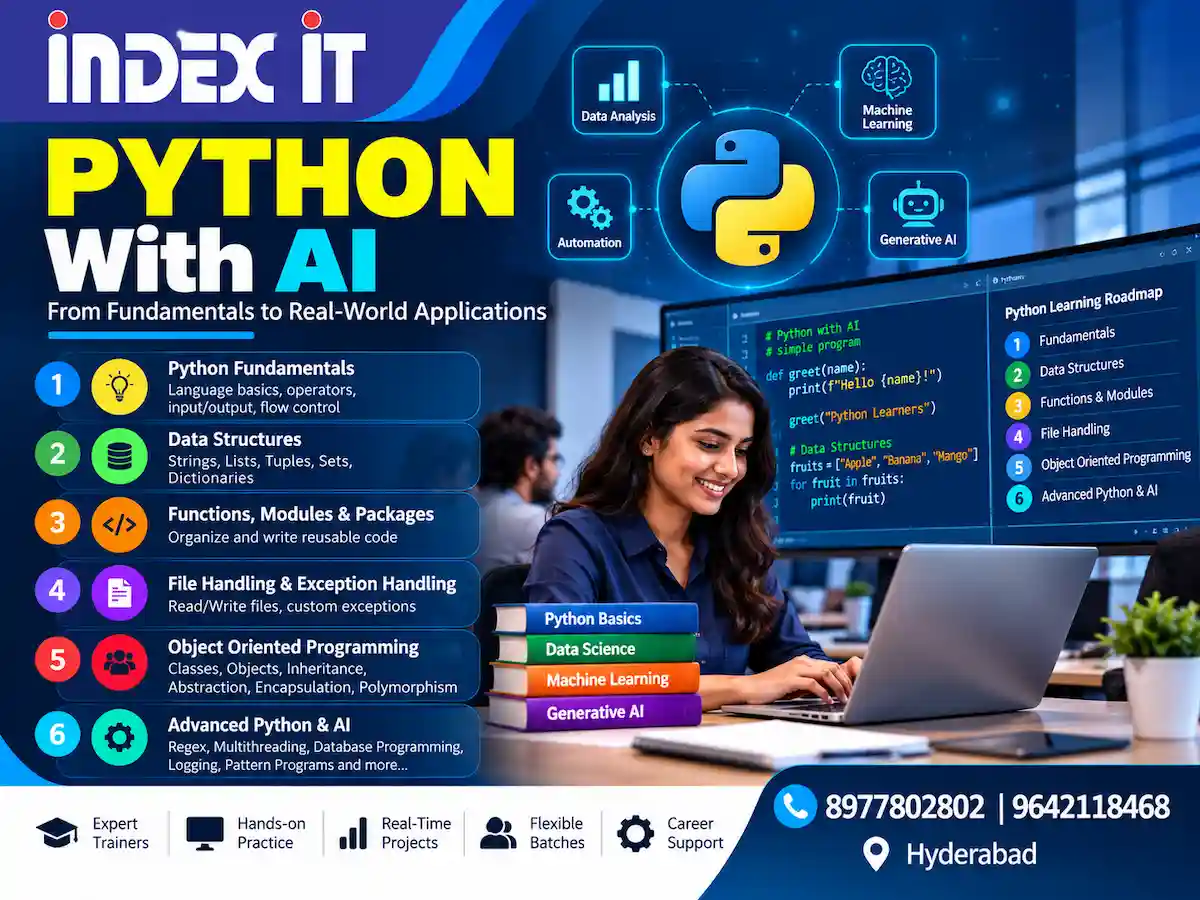
type()andid(). Thirty seconds of testing beats ten minutes of guessing. - Learn the foundations before the frameworks. Variables, operators, input and output, and flow control carry through to every later topic. After that, data structures (strings, lists, tuples, sets, dictionaries), then functions, modules and packages, then file handling and exceptions, then object-oriented programming. Advanced topics such as regular expressions, multithreading, database access and logging make far more sense on that base.
- Treat exceptions as part of your design. Instead of letting raw system errors reach an end user, catch them and raise clear custom exceptions with meaningful messages.
- Do not memorise syntax you can look up. Python's design lets you focus on logic. Spend your effort on problem-solving, and let the editor and documentation handle recall.
- Ask questions early. Beginners who have been away from programming for years often worry that they are slow. In practice, the language's simple syntax rewards steady practice more than prior experience.
- If you work in an enterprise stack, map Python's model to what you already know. A developer from a strictly typed background should expect dynamic typing to feel loose at first. For structured practice, a hands-on Python course in Hyderabad can help, and the same logic-building habits apply if you later move into automation work, such as the scripting often done in a cyber security course in Hyderabad.
Frequently Asked Questions
1. Is Python compiled or interpreted?
Both, in a sense. Python compiles source code to bytecode automatically, and the PVM then executes that bytecode. Because you never run a separate compile command, people call it an interpreted language.
2. What is the PVM in Python?
The Python virtual machine is the part of the interpreter that executes bytecode. It sits between your code and the operating system, which is what makes Python code portable across Windows, macOS and Linux.
3. What is a .pyc file?
A .pyc file stores compiled bytecode for an imported module. CPython keeps these files in a __pycache__ folder so later runs can start faster when the source has not changed.
4. What does "dynamically typed" mean?
You do not declare a variable's type. Python determines the type from the assigned value at runtime, and the same name can later point to a value of a different type.
5. If Python is dynamically typed, is it also weakly typed?
No. Python is strongly typed. It refuses operations such as adding the string "10" to the integer 5 and raises a TypeError instead of guessing what you meant.
6. Why does id() change when I reassign a variable?
The name now points to a different object. The identity belongs to the object, not to the variable. Small integers are the exception, because CPython reuses them, so equal small values often share one identity.
7. Will Python 2 code run on Python 3?
Usually not without changes. The two versions are not backward compatible, and Python 2 reached end of life in January 2020. Migrate legacy code by updating its syntax and checking its logic.
8. How many keywords does Python have?
Recent 3.x versions have about 35 reserved keywords. Run import keyword; print(keyword.kwlist) to see the exact list for your installed version. Types such as int, float and bool are built-ins, not keywords.
9. Which editor should a beginner use?
Jupyter Notebook suits learning because every cell shows its output right away. VS Code suits real projects. PyCharm and Mu are also good options, and all of these are free.
Conclusion
Python's reputation for being easy is earned, but the simplicity sits on a clear model. Knowing how Python works means knowing the path from source file to interpreter, bytecode and PVM. It also means seeing variables as labels attached to objects, and understanding that dynamic typing is strong and checked at runtime.
With that picture in mind, errors become easier to read, portability stops feeling like magic, and libraries such as pandas make sense as shortcuts instead of mysteries. The best next step is practical: install Python 3, run a first script, change a variable's type in a notebook, and use type() and id() to watch what happens. Everything else in the language builds on those habits.