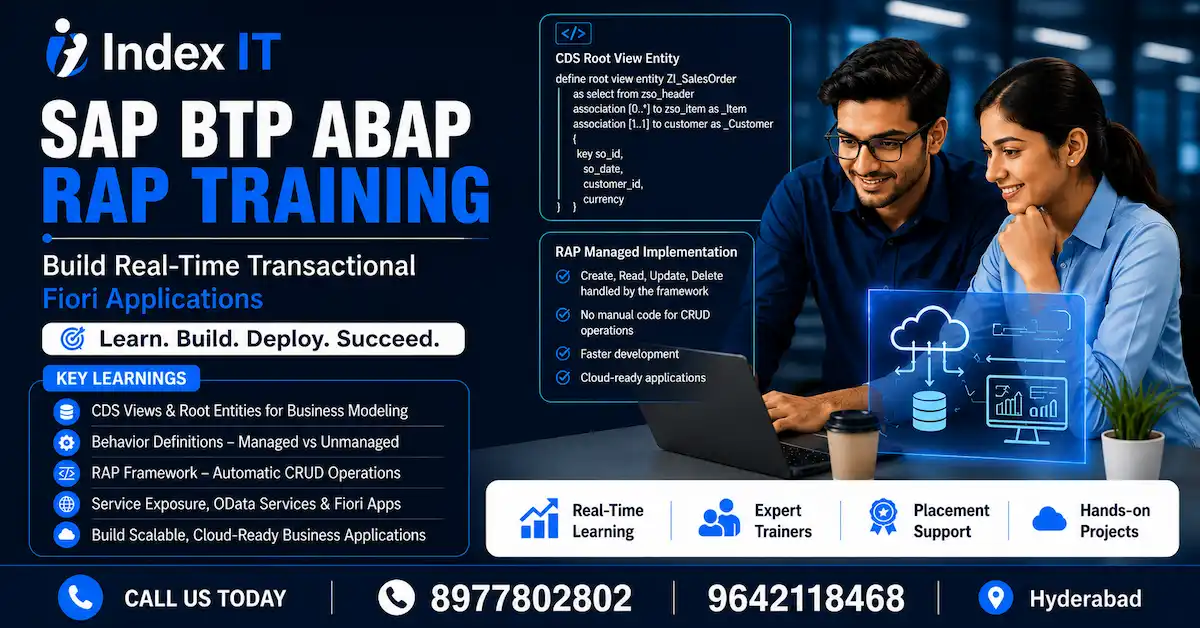
Building a transactional application in SAP BTP ABAP might sound daunting at first, but once you understand the layered architecture of the RESTful Application Programming (RAP) model, the process becomes surprisingly structured and even enjoyable. In this post, we walk through the complete process of creating a transactional application — from behavior definitions to service binding — based on a real hands-on session from our SAP BTP ABAP training in Hyderabad.
Whether you are a beginner stepping into RAP for the first time or a developer brushing up on the concepts, this guide breaks everything down into logical, digestible steps.
What Makes a Transactional Application Different from a Read-Only App?
When you build a read-only Fiori application in RAP, your goal is simply to fetch and display data. A transactional application, on the other hand, enables Create, Read, Update, and Delete — commonly known as CRUD operations — directly from the Fiori Elements UI.
The fundamental building blocks remain the same: CDS views, behavior definitions, projections, service definitions, and service bindings. However, a transactional app introduces the concept of Behavior Definition and Behavior Implementation, which decide how your application handles data changes.
If you are new to the overall structure of RAP, it helps to first understand how the SAP BTP ABAP programming model works as a whole before diving into transactional capabilities.
Step 1: Reusing CDS Views from the Data Modeling Layer
One of the great advantages of RAP is that you do not always have to build everything from scratch. For a transactional application, you can reuse the CDS views created in the data modeling and behavior layer from a previous read-only application.
In a typical sales order scenario, the reusable objects include:
- The root CDS view (sales order header entity)
- The composition to the sales order item entity
- Associations to customer and product entities
The root view is crucial here. When building a transactional application, there must always be exactly one root entity — and this entity drives the entire business object hierarchy. The composition relationships define what belongs to the business object (header and item), while associations link to external entities like customer and product, which are not part of that hierarchy.
Step 2: Creating the Behavior Definition
With your data models in place, the next step is to create a Behavior Definition. This object defines what capabilities — or behaviors — your business object will support.
To create one, right-click on your root CDS entity and select New Behavior Definition. You will notice immediately that the name field is not editable. This is by design: there is a strict one-to-one relationship between a root entity and its behavior definition. You cannot create two behavior definitions pointing to the same root entity.
Managed vs. Unmanaged Implementation Type
This is one of the most important choices you will make during setup. The behavior definition wizard asks you to select an Implementation Type, and you have two options:
Managed Implementation Type
The RAP framework automatically handles all CRUD operations. You do not write a single line of code for create, read, update, or delete. The framework takes care of everything.
Unmanaged Implementation Type
You write explicit logic for every CRUD operation manually. Even a basic create or delete will not work unless you implement the corresponding logic yourself.
So when should you choose unmanaged? The answer lies in your business requirements. If you need to perform validations before saving, call an external API during a create operation, or apply complex business rules on delete — managed implementation alone will not be sufficient. In those cases, unmanaged gives you full control.
For most standard transactional applications, managed implementation type is the right starting point, and that is what we use in this example.
Once you click Finish, the framework generates the behavior definition code automatically. The generated code includes create, update, and delete operations for both the header and item entity, along with lock and authorization check placeholders that you can implement later. The keyword strict version 2 is also added by the framework to enforce proper syntax validation — never remove this.
Step 3: Creating the Behavior Implementation Class
The Behavior Implementation is a class where any custom logic beyond standard CRUD gets written. To create it, use the lightbulb (Quick Fix) icon in the behavior definition editor — this proposal generates the class automatically with all mandatory inherited methods already in place.
You do not need to add any code manually at this stage. In a managed scenario, the framework handles standard CRUD. This class becomes important later when you add validations, determinations, or ETags — all of which apply to both managed and unmanaged types.
After the class is generated, simply activate it and move on.
Step 4: Creating Projection Views (Business Service Exposure Layer)
Now you move to the Business Service Exposure Layer, where you create projection views on top of your interface layer CDS entities. These projection views act as the consumer-facing representation of your data.
For a transactional application, projection views must be created for entities that are part of the business object hierarchy — that is, the sales order header and item entities. You do not create projection views for associated entities like customer or product.
When creating the root projection view, remember to add the root keyword manually, as the framework does not add it automatically. For non-root entities (like the item), this keyword is not needed.
A common issue at this stage is currency/unit amount annotation errors. Rather than adding annotations repeatedly in each projection layer, you can set @Metadata.ignorePropagatedAnnotations: false in the projection view. This tells the system to inherit annotations already defined in the interface layer, saving you significant effort.
Once the projection views are activated, you establish the parent-child relationships using redirect to composition child and redirect to parent syntax. This is mandatory for the transactional capabilities to work correctly.
Step 5: Creating the Behavior Projection
Similar to how you created a behavior definition for the interface layer, you now create a Behavior Projection for the exposure layer. Select the root projection view, right-click, and choose New Behavior Definition — the implementation type will automatically be set to Projection.
The behavior projection defines which operations from the behavior definition are exposed to the consumer. You will see use create, use update, and use delete already included. Activate it and move on — there is no implementation class required here.
Step 6: Service Definition and Service Binding
With all layers in place, the final two objects are the Service Definition and Service Binding.
In the Service Definition, you expose the entities that your Fiori Elements app will use. Always use the projection layer entities here, not the interface layer ones. For product and customer — which do not have projection views — you expose the interface layer entities directly, since they are referenced through associations and do not need independent projection views.
The Service Binding wraps the service definition and makes it accessible as an OData service. For Fiori Elements applications, use OData V2 UI as the binding type. After publishing the service, you can launch a preview of your Fiori app directly from the service binding.
If you are following along from our SAP ABAP training program, you will recognize this pattern from the read-only application — the key difference here is the presence of Create, Edit, and Delete buttons in the Fiori UI, all powered by the managed behavior you defined earlier.
Step 7: Adding Metadata Extensions and Fixing Field Mapping
After launching the app preview, you will likely see blank column headers or missing labels. The fix is to reuse or create Metadata Extension files for your projection views — not the interface layer entities. Metadata extensions control how your Fiori UI renders: which fields appear, their labels, and their layout.
One issue that commonly surfaces at this point is a field mapping mismatch between your CDS view field names and the underlying database table columns. If the names differ (for example, due to aliasing in the CDS view), the framework cannot map the data correctly during write operations, resulting in runtime dumps.
The solution is to define an explicit mapping block in your behavior definition, linking each CDS field name to the corresponding database table column name. Once this mapping is in place, CRUD operations work as expected.
Seeing the Results: A Fully Working Transactional Fiori App
Once all objects are activated and the Fiori app is refreshed, you have a fully functional transactional application. Users can:
- View a list of sales orders with all relevant column names
- Create new sales order records
- Edit existing header and item details
- Delete unwanted records
Notice that associated entities like customer remain non-editable in this context — which is the correct business behavior. Just as you would not edit a customer record from a VA01 transaction in classical SAP, the RAP model enforces the same logic through your business object hierarchy.
Key Takeaways
Understanding how to build a transactional SAP BTP ABAP RAP application comes down to knowing which layer each object belongs to and how they connect:
- Interface layer: CDS views, behavior definition, behavior implementation
- Projection layer: Projection CDS views, behavior projection
- Service layer: Service definition, service binding
The managed implementation type handles all CRUD automatically — the framework generates the code. Unmanaged is for scenarios where you need to control the CRUD logic yourself, though both types share the same structure for validations, determinations, and ETags.
If you are looking to build real-world SAP BTP applications with hands-on practice, our SAP BTP ABAP course in Hyderabad covers the complete RAP model from CDS basics all the way to complex transactional scenarios — with live project experience included.
For those coming from a functional background curious about how ABAP development fits into the bigger picture, understanding modules like SAP SD can give valuable context on the business processes these transactional applications support.
This post is based on a live session from Index IT's SAP BTP ABAP training program in Hyderabad. For more sessions, demos, and SAP career guidance, visit indexit.org.