SAP RAP Unmanaged Implementation in SAP BTP ABAP – Complete Beginner-Friendly Guide
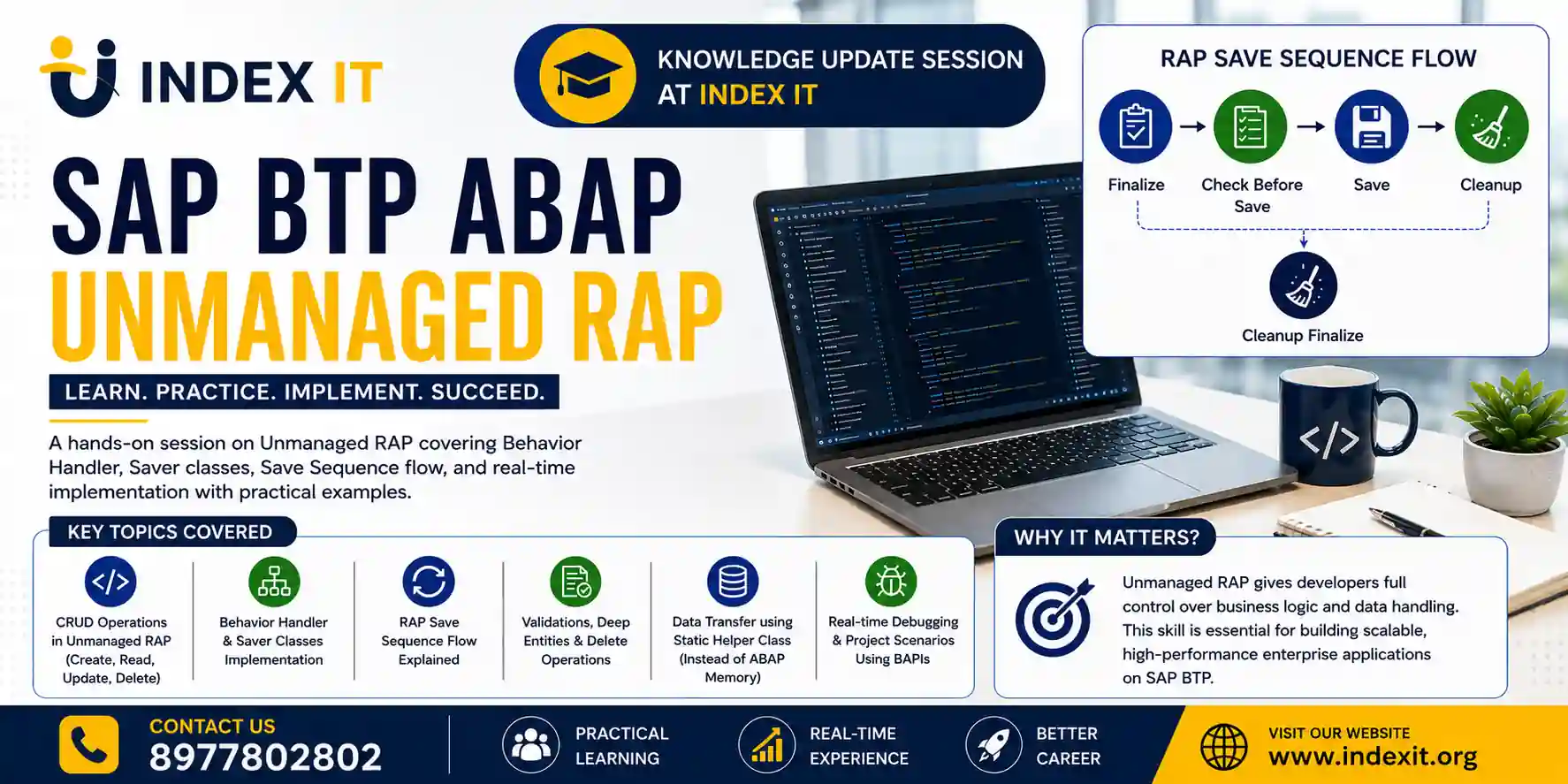
SAP RAP (RESTful ABAP Programming Model) is transforming modern SAP application development. While managed implementation handles most CRUD operations automatically, many real-time enterprise projects still require unmanaged implementation for advanced business logic, BAPI integration, validations, and custom processing.
In this guide, you will learn how SAP RAP unmanaged implementation works in SAP BTP ABAP, including Behavior Handler classes, Saver classes, CRUD operations, save sequence flow, and static class usage with practical explanations.
If you are learning modern SAP development, this article will help you understand unmanaged RAP implementation in a simple and practical way.
What is SAP RAP Unmanaged Implementation?
SAP RAP unmanaged implementation is a development approach where developers manually handle CRUD operations such as Create, Update, Delete, and Save.
Unlike managed implementation, SAP does not automatically persist data into database tables. Instead, developers write custom logic inside behavior implementation classes.
This approach is mainly used when:
- Existing BAPIs must be reused
- Complex business validations are required
- Legacy SAP logic needs integration
- Multiple database operations happen together
- Custom authorization checks are needed
In SAP BTP ABAP projects, unmanaged implementation gives developers complete control over the save process.
Difference Between Managed and Unmanaged RAP
| Feature | Managed RAP | Unmanaged RAP |
|---|---|---|
| CRUD Handling | Automatic | Manual |
| Database Save | Framework handles | Developer handles |
| Flexibility | Medium | High |
| BAPI Integration | Limited | Excellent |
| Custom Save Logic | Minimal | Full control |
| Complexity | Easier | Advanced |
If your project contains complex backend processing, unmanaged RAP is usually the preferred choice.
Understanding RAP Behavior Implementation
In unmanaged RAP, the framework generates two important classes:
1. Behavior Handler Class
The Behavior Handler class handles:
- Create
- Update
- Delete
- Read
- Validation
- Determination
This class receives user actions from the SAP Fiori UI.
2. Saver Class
The Saver class handles:
- Finalize
- Check Before Save
- Save
- Cleanup
The actual database operations generally happen in the Save method.
According to the SAP BTP ABAP training discussion, the save sequence executes in the following order:
- Finalize
- Check Before Save
- Save
- Cleanup
SAP RAP Save Sequence Explained
Understanding the save sequence is extremely important in unmanaged RAP implementation.
Save Sequence Flow
- Finalize
- Check Before Save
- Save
- Cleanup
However, if an exception occurs after Finalize, the framework directly calls Cleanup Finalize instead of continuing further.
This mechanism helps clear temporary buffers and transactional data safely.
Why Static Classes Are Used in Unmanaged RAP
One of the most confusing topics for beginners is data transfer between the Behavior Handler class and Saver class.
Since both are separate classes, local variables cannot directly pass from one class to another.
Therefore, developers commonly use a static helper class.
Benefits of Static Classes
- Share data between handler and saver classes
- Store transactional buffers temporarily
- Avoid ABAP memory inconsistencies
- Improve object-oriented design
- Maintain cleaner architecture
Static classes are preferred over ABAP memory or SAP memory because they provide better control and consistency.
How Delete Operation Works in RAP Unmanaged Implementation
In unmanaged RAP, delete operations do not happen automatically.
Developers must:
- Capture the selected record keys
- Store them in a static class
- Pass them into the save sequence
- Execute the database delete manually
High-Level Delete Flow
- User clicks Delete in Fiori app
- Behavior Handler Delete method triggers
- Keys are captured
- Static class stores data
- Save method executes database delete
- Cleanup clears buffers
The selected Sales Order IDs are stored temporarily and later deleted during the save phase.
CRUD Operations in SAP RAP Unmanaged Scenario
In unmanaged implementation:
- Create logic must be written manually
- Update logic must be written manually
- Delete logic must be written manually
- Save logic must be handled manually
This gives developers full flexibility for enterprise-grade processing.
For example:
- Calling legacy BAPIs
- Updating multiple tables
- Triggering workflows
- Executing authorization checks
- Handling custom validations
Important Point About COMMIT WORK
One critical concept in unmanaged RAP is transaction handling.
When using BAPIs or database operations inside RAP:
- Do NOT use COMMIT WORK
- Do NOT call BAPI_TRANSACTION_COMMIT
The RAP framework automatically manages LUW (Logical Unit of Work).
This is one of the most important best practices for SAP BTP ABAP developers.
Create by Association in RAP
For deep entity creation such as Sales Order Header and Item:
- Header entity creates first
- Item entity gets created using association
This is called Create By Association.
In real SAP applications like VA01:
- Header details
- Item details
- Association handling
all work together during creation.
Real-Time Use Cases for Unmanaged RAP
SAP developers generally use unmanaged RAP when:
- Existing ECC logic must be reused
- Complex validations are required
- BAPI integration is mandatory
- Multiple dependent tables update together
- Custom save processing is needed
- Legacy business rules must remain unchanged
This makes unmanaged RAP extremely important in enterprise SAP S/4HANA implementations.
Best Practices for SAP RAP Unmanaged Implementation
Use Static Classes Carefully
Keep transactional data clean and controlled.
Avoid Direct Database Changes Everywhere
Centralize database operations inside the Save method.
Handle Exceptions Properly
Always clean buffers in Cleanup methods.
Reuse Existing Business Logic
Use BAPIs and function modules whenever required.
Keep Validation Separate
Maintain clean architecture using validations and determinations.
Learn SAP BTP ABAP Development
If you want to build strong expertise in RAP, Fiori, CDS Views, and modern SAP development, explore our practical SAP training programs:
- Learn advanced SAP ABAP Course in Hyderabad
- Explore modern SAP BTP Course in hyderabad
These courses include real-time projects, RAP implementation, debugging, and hands-on exercises.
Final Thoughts
SAP RAP unmanaged implementation is one of the most important concepts for modern SAP developers. Although it requires more coding compared to managed implementation, it provides maximum flexibility for enterprise applications.
By understanding:
- Behavior Handler classes
- Saver classes
- Save sequence
- Static class usage
- CRUD handling
- BAPI integration
developers can build powerful and scalable SAP BTP ABAP applications efficiently.
If you are planning to work on SAP S/4HANA or SAP BTP projects, mastering RAP unmanaged implementation can significantly improve your technical expertise and career opportunities.
Frequently Asked Questions
What is unmanaged implementation in SAP RAP?
Unmanaged implementation is a RAP approach where developers manually implement CRUD operations and database save logic.
Why use unmanaged RAP instead of managed RAP?
Unmanaged RAP is preferred when projects require BAPI integration, complex validations, or advanced business processing.
What is the role of Saver Class in RAP?
The Saver Class handles finalize, check before save, save, and cleanup operations.
Can we use COMMIT WORK in RAP?
No. RAP framework automatically handles transaction commits.
Why are static classes used in RAP?
Static classes help share transactional data between Behavior Handler and Saver classes.