Mastering SAP Transport Management System (TMS): A Complete Guide for SAP Security Professionals
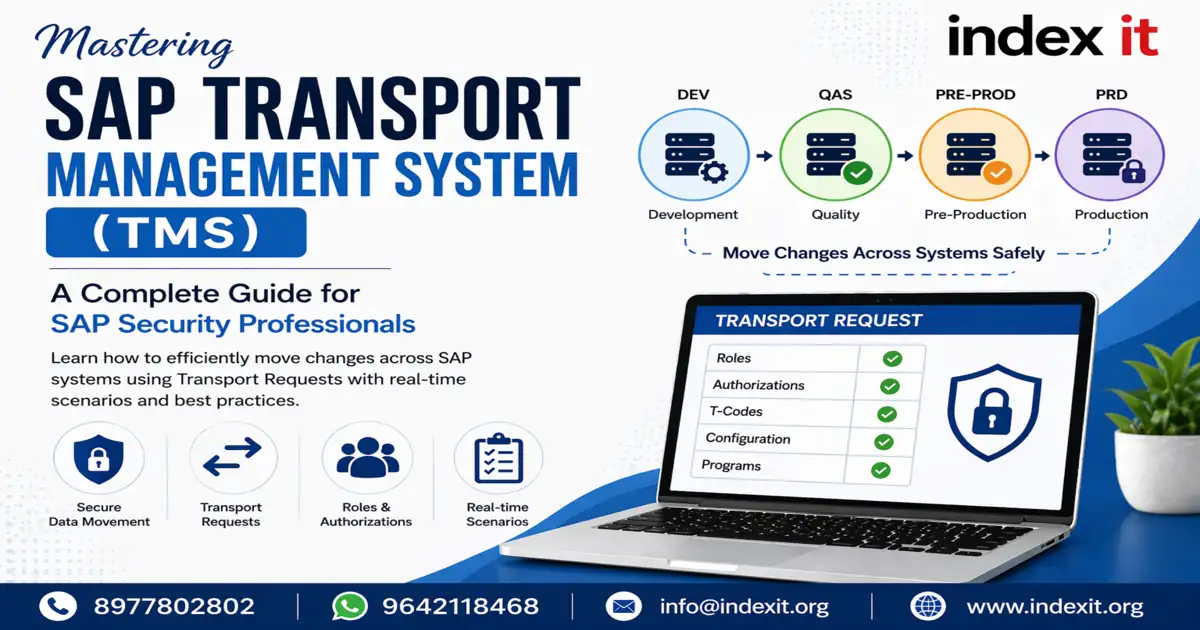
In any SAP landscape, smooth data movement is critical for maintaining system consistency and security. Especially in enterprise environments, changes must be transported safely across systems. This is where SAP Transport Management System (TMS) plays a key role.
In this blog, we will explain SAP TMS using real-time scenarios in a simple and practical way, so that both beginners and experienced professionals can understand it easily.
What is SAP Transport Management System (TMS)?
SAP Transport Management System (TMS) is used to move data and configurations from one environment to another, such as:
- Development (DEV)
- Quality (QAS)
- Production (PRD)
For example, roles created in the development system are transported to quality for testing, and then moved to production.
Why is TMS Important in SAP?
Without TMS, managing SAP changes becomes risky and unstructured. TMS ensures:
- Controlled movement of changes
- Proper testing before production deployment
- Improved system security
- Consistency across all systems
Roles and Responsibilities in TMS
SAP Security Consultant Responsibilities
As a security consultant, your main responsibilities include creating roles, modifying authorizations, and transporting them across systems using transport requests.
To master these real-time concepts, you can explore SAP Security Grc Training with Real-time Scenarios, where role creation, transport, and authorization concepts are explained in detail.
SAP Basis Team Responsibilities
The SAP Basis team is responsible for managing the technical aspects of transport, including:
- Defining transport routes
- Importing transport requests
- Managing system landscape using STMS
If you want to understand system-level operations and transport architecture, check out the SAP Basis Training In Hyderabad which covers TMS configuration and administration in depth.
What is a Transport Request (TR)?
A Transport Request (TR) is a container that carries all the changes made in the system. These changes may include:
- Roles and authorizations
- Programs and T-codes
- Configuration settings
Each transport request has a unique ID and is used to move changes between systems.
Types of Transport Requests in SAP
1. Customizing Request (Client Dependent)
Customizing requests are client-dependent, meaning they are specific to a particular client. For example, roles created in one client will not automatically exist in another client.
2. Workbench Request (Client Independent)
Workbench requests are client-independent and apply to all clients within the system. For example, changes in SU24 or programs will reflect across all clients.
Client Dependent vs Client Independent Data
- Client Dependent: Data specific to a single client (e.g., roles)
- Client Independent: Data applicable to all clients (e.g., SU24 changes)
This is one of the most common interview questions in SAP Security.
Real-Time Example of Role Transport
Here’s how role transport works in a real-time scenario:
- Create role in Development system
- Capture it in a Transport Request
- Release the Transport Request
- Basis team moves it to Quality and Production
For client-to-client transport within the same system, SCC1 is used. For system-to-system transport, STMS is used.
Important T-Codes in TMS
- PFCG – Role creation
- SE09 / SE10 – Transport Organizer
- SCC1 – Client transport
- STMS – Transport management
Best Practices for Mass Transport
In real-time projects, multiple roles are transported together. Best practice includes:
- Transport master and single roles first
- Transport derived roles in batches
- Transport composite roles at the end
Maintaining proper sequence is very important to avoid transport errors.
Critical Mistake to Avoid
Never select Direct User Assignment while transporting roles.
This can overwrite user assignments in production and remove access for thousands of users.
How to Delete Roles Using TMS
To delete a role properly:
- Capture the role in a Transport Request
- Delete the role in development
- Release the TR
- Transport it to production
The role will be automatically deleted in the target system.
Important Tables in TMS
- E071 – Shows transport contents
- E070 – Shows transport status and movement
These tables are useful for audit and tracking purposes.
Transport Return Codes
- RC0 – Successful
- RC4 – Warnings
- RC8 – Errors (dependency issues)
Conclusion
SAP Transport Management System (TMS) is a core component in SAP landscapes. Understanding TMS helps you manage changes effectively, avoid production issues, and work confidently in real-time projects.
If you want to build a strong career in SAP Security, learning TMS practically is essential. You can start with SAP Security Course In Hyderabad and enhance your system-level knowledge with SAP Basis Course In Hyderabad.