SAPUI5 Aggregation Binding Explained: How Tables, Models, and OData Data Actually Connect
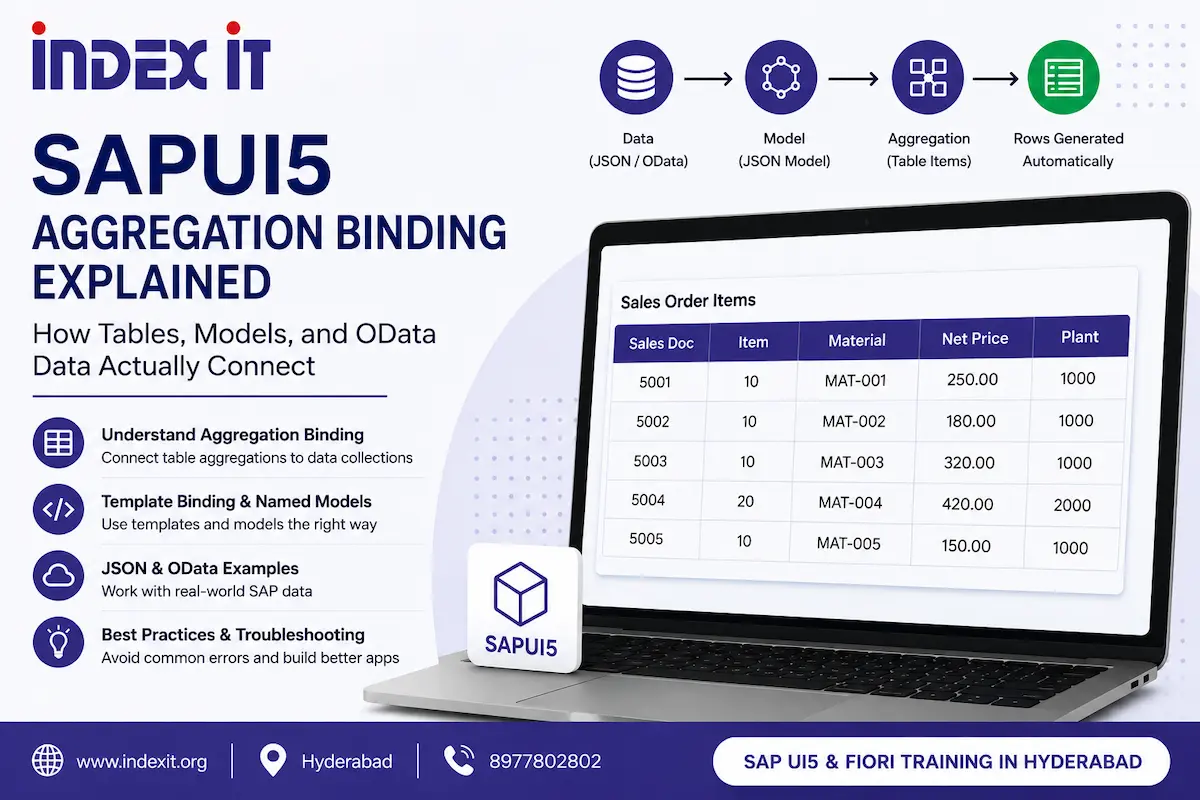
If you've ever built an sap.m.Table in SAPUI5, filled it with a handful of sap.m.Text controls, and then wondered, "How do I stop hardcoding every single cell for every single row?" — you've already encountered the problem that aggregation binding is designed to solve.
Aggregation binding allows SAPUI5 controls such as tables and lists to automatically generate repeating child controls from your application data. Instead of manually creating a row for every record, you define a single template and let SAPUI5 repeat it for each item in the bound collection.
This concept is fundamental to SAPUI5 and Fiori development because it connects three important areas: JavaScript data structures, SAPUI5 controls, and data models. Once you understand how these pieces work together, table binding becomes much easier to design, debug, and maintain.
In this guide, we'll use a practical sales-order example to explain JavaScript arrays, array-of-object data, SAPUI5 aggregations, template binding, named models, JSON models, OData scenarios, common binding errors, and practical best practices.
If you're looking to learn SAPUI5 and Fiori development through structured, practical training, explore SAP UI5 and Fiori Training in Hyderabad from Index IT.
Why SAPUI5 Aggregation Binding Starts With JavaScript Arrays
Before working with SAPUI5 controls, it helps to understand how JavaScript arrays behave. A bound table ultimately works with a collection of records, and understanding the structure of that collection makes the binding syntax much easier to understand.
Core JavaScript Array Operations
| Operation | What It Does | Behavior |
|---|---|---|
array.push(item) |
Adds an item to the end of an array | Increases the array length |
array.pop() |
Removes the last item | Follows Last-In-First-Out behavior |
array.reverse() |
Reverses the array order | Changes the original array |
array.slice(start, end) |
Returns a portion of an array | Does not modify the original array |
array.splice(index, count) |
Removes or replaces items at a specific position | Modifies the original array |
For example, consider this array:
["Kumar", "Satish", "Chaitanya"]Using push() adds a new item to the end:
studentArray.push("Index IT");Using pop() removes the last item, while splice() can remove an item from a specific position. slice() is different because it returns a copy of part of the array without changing the original.
This distinction becomes important when preparing data before sending it into a SAPUI5 model. Accidentally changing the array can result in missing or unexpected table rows later.
Understanding Array-of-Objects in SAP Data
Real SAP business data is generally more complex than an array of simple strings. A table normally works with an array of objects where every object represents one business record and the object's properties represent fields.
For example, a simplified sales-order collection could look like this:
[
  {
    "VBELN": "5001",
    "POSNR": "10",
    "MATNR": "MAT-001",
    "NETPR": "250.00",
    "WERKS": "1000"
  },
  {
    "VBELN": "5002",
    "POSNR": "10",
    "MATNR": "MAT-002",
    "NETPR": "180.00",
    "WERKS": "1000"
  }
]
Here, each object represents one record. The field names remain consistent while the values change from one record to another.
You can access a complete record using an array index:
salesInfo[0]And you can access an individual property:
salesInfo[0].VBELNThe important concept is that the field name stays the same while the record index changes. SAPUI5 aggregation binding automates this repetitive indexing process when it creates table rows.
What Is Aggregation Binding in SAPUI5?
An aggregation in SAPUI5 is a special type of control relationship that can contain one or more child controls. For example, an sap.m.Table has an items aggregation, while a ColumnListItem has a cells aggregation.
Aggregation binding connects such a repeating aggregation to a collection in a model. SAPUI5 then creates the required child control for each item in the collection.
For an SAPUI5 table, the basic idea is:
Data Collection
      ↓
Named Model
      ↓
Table items Aggregation
      ↓
ColumnListItem Template
      ↓
Individual Cells
This eliminates the need to manually create one row for every record.
Why Manual Table Rows Do Not Scale
Imagine manually creating table cells for individual array positions:
new sap.m.ColumnListItem({
    cells: [
        new sap.m.Text({ text: "{salesModel>/0/VBELN}" }),
        new sap.m.Text({ text: "{salesModel>/1/VBELN}" }),
        new sap.m.Text({ text: "{salesModel>/2/VBELN}" })
    ]
});
This approach might appear to work for a few records, but it quickly becomes impractical when the backend returns hundreds or thousands of records.
Aggregation binding solves this problem by allowing you to define the row structure once and let SAPUI5 repeat it automatically.
Template Binding: Let SAPUI5 Generate the Rows
Template binding is one of the most important parts of aggregation binding. You define a single row template, such as a ColumnListItem, and use relative property bindings inside that template.
SAPUI5 then clones the template for every record in the bound collection.
Step 1: Create and Set a Named JSON Model
var oModel = new sap.ui.model.json.JSONModel();

oModel.setData({
    salesInfo: [
        {
            "VBELN": "5001",
            "POSNR": "10",
            "MATNR": "MAT-001",
            "NETPR": "250.00",
            "WERKS": "1000"
        },
        {
            "VBELN": "5002",
            "POSNR": "10",
            "MATNR": "MAT-002",
            "NETPR": "180.00",
            "WERKS": "1000"
        }
    ]
});

this.getView().setModel(oModel, "salesModel");
The model now contains the salesInfo collection and is registered under the name salesModel.
Step 2: Define the Table Columns
The columns aggregation defines the static table headers:
<Table items="{salesModel>/salesInfo}">
    <columns>
        <Column>
            <Text text="Sales Doc"/>
        </Column>

        <Column>
            <Text text="Item"/>
        </Column>

        <Column>
            <Text text="Material"/>
        </Column>

        <Column>
            <Text text="Net Price"/>
        </Column>

        <Column>
            <Text text="Plant"/>
        </Column>
    </columns>
Step 3: Bind the items Aggregation
The items aggregation is the repeating part of the table. This is where the row template is defined:
    <items>
        <ColumnListItem>
            <cells>
                <Text text="{salesModel>VBELN}"/>
                <Text text="{salesModel>POSNR}"/>
                <Text text="{salesModel>MATNR}"/>
                <Text text="{salesModel>NETPR}"/>
                <Text text="{salesModel>WERKS}"/>
            </cells>
        </ColumnListItem>
    </items>
</Table>
Notice that there is no [0], [1], or [2] in the cell bindings.
The binding:
items="{salesModel>/salesInfo}"tells SAPUI5 to iterate over the salesInfo collection. For each record, SAPUI5 creates a copy of the ColumnListItem template and resolves bindings such as {salesModel>VBELN} against the current record.
This is the core idea behind SAPUI5 aggregation binding.
columns vs. items in sap.m.Table
This is one of the most common concepts beginners need to understand:
columnsis a static aggregation used to define the table's columns and headers.itemsis the repeating aggregation that is normally bound to a collection of data records.
If you bind the data collection to columns instead of items, the table will not behave as expected because columns are not designed to be cloned once per business record.
For a deeper explanation of how SAPUI5 aggregations connect tables, models, and repeated controls, see our SAPUI5 aggregation binding guide.
Named Models vs. Unnamed Models
Model naming becomes particularly important when your application contains multiple data sources.
Using setModel() and getModel()
this.getView().setModel(oModel, "salesModel");

this.getView().getModel("salesModel");
Here, salesModel is the model name used by the XML binding:
{salesModel>VBELN}If you call setModel(oModel) without specifying a name, SAPUI5 treats it as the default or unnamed model.
this.getView().setModel(oModel);That model can be accessed with:
this.getView().getModel();However, a binding that specifically references salesModel cannot resolve against an unnamed model. This is why consistent model naming is important in applications that use multiple models.
Why Named Models Are Useful in Fiori Applications
A production Fiori application may use a business-data model alongside other models such as an i18n model. Named models allow each binding to clearly identify which model contains the required property.
For example:
{i18n>someLabel}

{salesModel>VBELN}
This makes the view easier to understand and reduces ambiguity when multiple models are attached to the same view.
Common SAPUI5 Aggregation Binding Error
When learning aggregation binding, developers may encounter errors such as:
Aggregation with cardinality 0..n has an invalid binding info
In a table-binding scenario, check the following areas first:
- Is the aggregation correctly bound to the collection?
- Does the row template contain property bindings for the fields that should be displayed?
- Are the cell bindings using the correct model name?
- Are the property paths relative to the current row?
For example, this binding:
items="{salesModel>/salesInfo}"identifies the collection that SAPUI5 should repeat.
Inside the template, the individual fields can then use relative bindings:
{salesModel>VBELN}
{salesModel>POSNR}
{salesModel>MATNR}
Avoid hardcoding paths such as /0/VBELN or /1/VBELN inside a repeating row template. The table's aggregation binding provides the correct row context automatically.
Practical sap.m.Table Aggregations
The sap.m.Table control provides several aggregations that serve different purposes.
items— the repeating aggregation used for table rows.columns— the static column definitions.headerToolbar— useful for placing actions or search controls in the table header.
The important point is to select the aggregation according to what you want the UI control to contain. Static structures and repeating business records are handled differently.
Real-World Example: Sales Order Line Items in a Fiori App
Consider a Fiori application where a sales team needs to view open sales order items. The table may need to display the document number, item number, material, net price, and plant.
The data could come from an OData service connected to an SAP backend.
With aggregation binding, the process is straightforward:
- The backend provides sales-order data.
- The data is made available through an appropriate model.
- The table's
itemsaggregation is bound to the collection. - A single
ColumnListItemdefines the row structure. - SAPUI5 generates one row for each record.
This approach is much easier to maintain than manually creating controls for every record.
Best Practices for SAPUI5 Aggregation Binding
- Bind repeating data to
items, notcolumns. - Use relative property bindings inside repeating templates instead of hardcoded array indexes.
- Use meaningful model names when multiple models are present.
- Set the model before trying to retrieve or use it.
- Keep the number of table columns and template cells consistent.
- Use
slice()when you need a copy andsplice()when you intentionally need to modify an array. - Test with a small dataset first before connecting complex live OData data.
Frequently Asked Questions
What is aggregation binding in SAPUI5?
Aggregation binding connects a repeating aggregation, such as a table's items, to a collection in a data model. SAPUI5 then generates child controls automatically for each record.
What is the difference between columns and items in sap.m.Table?
columns defines the static table headers, while items is the repeating aggregation that is normally bound to the application's data collection.
What is template binding in SAPUI5?
Template binding uses one control definition, such as a ColumnListItem, and allows SAPUI5 to clone that template for every record in the bound collection.
Why should I avoid hardcoding array indexes in table bindings?
Hardcoded indexes make the application dependent on a fixed number and order of records. Relative bindings allow SAPUI5 to resolve each field against the current record automatically.
What is the difference between a named and unnamed model?
A named model is registered with a specific name and referenced through that name in bindings. An unnamed model is the default model and is accessed without specifying a model name.
Can aggregation binding work with OData?
Yes. The same table and template-binding concepts can be used with SAPUI5 models connected to live OData services. The main principle remains the same: bind the repeating aggregation to the appropriate collection and use property bindings inside the template.
What is the difference between slice() and splice()?
slice() returns a shallow copy of part of an array without modifying the original array. splice() modifies the original array by removing or replacing items.
Conclusion
SAPUI5 aggregation binding is one of the fundamental concepts behind building dynamic Fiori applications. Once you understand how arrays, models, aggregations, templates, and relative property bindings work together, creating data-driven tables becomes much simpler.
The key idea is straightforward: your model contains the collection, the table's repeating aggregation points to that collection, and a single row template defines how each record should appear. SAPUI5 then handles the repetition and row context automatically.
These concepts become especially valuable when your application moves from a small test dataset to real OData services containing hundreds or thousands of business records.
For the next step, you can explore our SAPUI5 table binding troubleshooting guide for common errors, debugging techniques, and interview-oriented questions.
You can also start with our SAPUI5 data binding guide for beginners if you want a simpler introduction before moving into advanced binding scenarios.
Ready to build stronger SAPUI5 and Fiori development skills? Explore SAP UI5 and Fiori Training in Hyderabad from Index IT for structured, practical learning.