SAP BTP Explained: Services, Runtimes, Regions, and Commercial Models Every Developer Should Know
Most people who start learning SAP BTP jump straight into the ABAP environment or Business Application Studio without understanding the platform around them. That approach works for a while. Then someone asks a simple question in an interview, like “which category does API Management fall under?” or “why did your company choose the Singapore region?” and the answer does not come easily.
This guide fills that gap. It walks through how SAP BTP is organized, how its runtimes relate to each other, why region and infrastructure choices matter, and how SAP structures its commercial models. None of this replaces hands-on ABAP or CAPM practice. It gives that practice a foundation, so the decisions behind a project stop feeling random.
Table of Contents
- Why BTP Understanding Matters Beyond Coding
- What SAP Business Technology Platform Actually Is
- The Five Solution Categories in SAP Discovery Center
- Application Development and Automation Services
- Understanding BTP Runtimes: ABAP, Kyma, and Cloud Foundry
- Low-Code, No-Code, and the SAP Build Portfolio
- Integration, Data & Analytics, and AI Services
- Cross and Foundational Services
- Global Account vs Sub Account Structure
- Choosing a Region and Infrastructure Provider
- SAP BTP Commercial Models Explained
- Common Mistakes Beginners Make with BTP
- Conclusion
- Frequently Asked Questions
Why BTP Understanding Matters Beyond Coding
Every SAP conversation today circles back to two terms: Business AI and Business Technology Platform. Ask a room full of consultants about Joule, Work Zone, or Cloud Identity Services, and BTP comes up within minutes. That is not a coincidence.
Business AI features do not run in isolation. Joule needs Cloud Identity Services to authenticate users. Work Zone needs a BTP subaccount to host its launchpad. Even a basic automation project subscribes to services that live on BTP. The platform functions as the shared foundation underneath almost every modern SAP initiative.
Developers sometimes assume this layer belongs to architects or basis consultants. In reality, an ABAP developer who understands BTP structure moves faster during design discussions and troubleshoots subscription issues without waiting on someone else. Recruiters notice this too. Knowing ABAP alone still gets attention, but interviewers increasingly expect candidates to explain BTP’s building blocks with confidence.
What SAP Business Technology Platform Actually Is
SAP BTP sits at the platform-as-a-service layer of the cloud stack. It does not replace your core ERP system. Instead, it wraps around SAP S/4HANA, Ariba, IBP, and other backend systems, giving developers a modern space to extend, integrate, and analyze that data without touching the core.
Think of the older SAP NetWeaver stack for a moment. Your ABAP code ran on the ABAP runtime. Your PI/PO consultant worked on the integration and process broker layer. Your BW team worked on a separate reporting layer. All three lived inside NetWeaver, bundled with your ERP license, so nobody paid much attention to them as a separate “technology layer.”
BTP is the cloud evolution of that same idea. The demand created by AI and automation projects pushed SAP to rebuild this technology layer for the cloud, spread it across dozens of specialized services, and let customers pick a cloud provider and region for hosting it. The result looks more complex on the surface, but it gives far more flexibility than the old embedded NetWeaver approach ever did.
For an official description straight from SAP, the SAP BTP product page covers pricing tiers and service highlights, though it leans toward marketing language rather than technical depth.
The Five Solution Categories in SAP Discovery Center
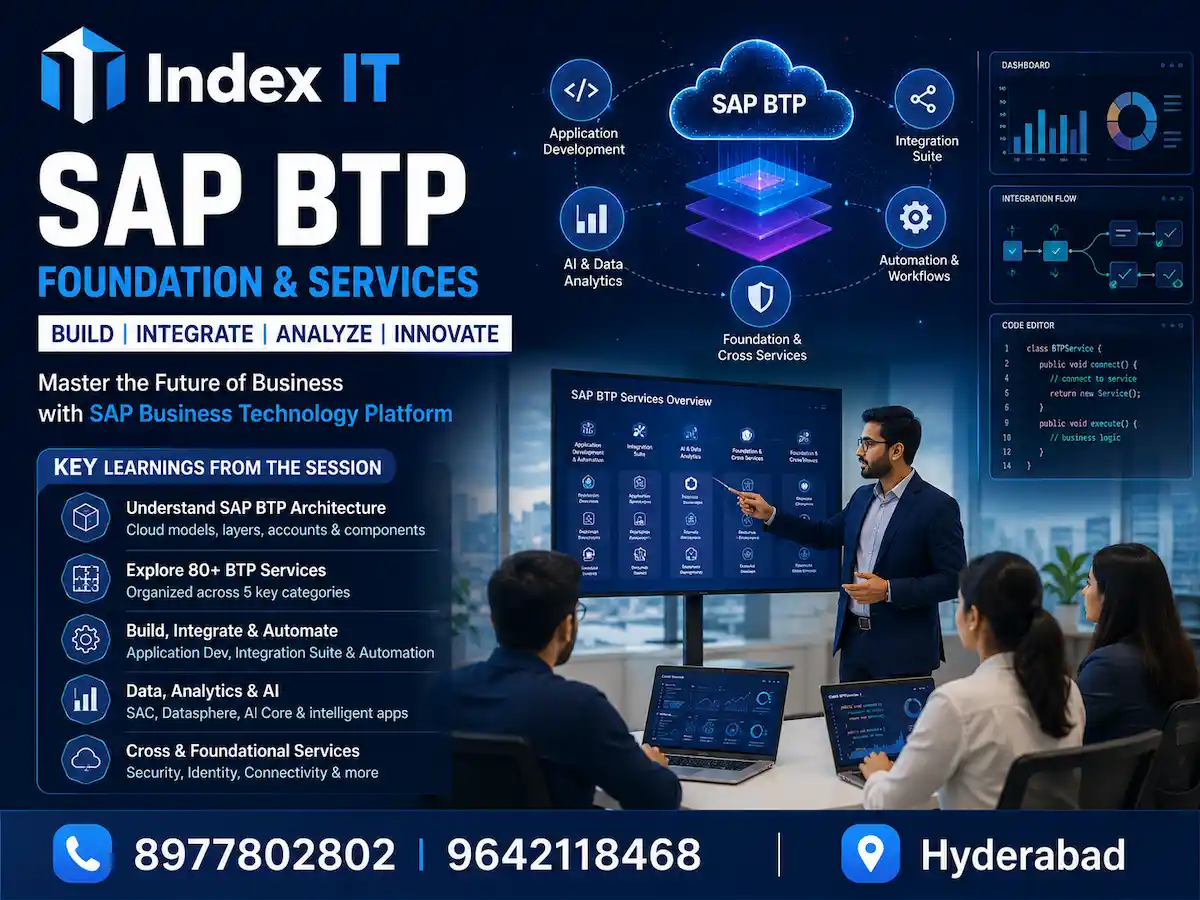
SAP BTP currently offers more than 80 services, and that number keeps growing. Searching through a single catalog of 80-plus tools would waste anyone’s time, so SAP organized everything inside the SAP Discovery Center into five solution categories:
- Application Development and Automation – build and extend apps, including ABAP-based extensions
- Integration – connect source and target systems, transform data between them
- Data and Analytics – model, store, and visualize business data
- Artificial Intelligence – build chatbots, generative AI features, and AI agents
- Cross and Foundational Services – shared services that support all four categories above
These categories mirror how real project teams get organized. Most SAP delivery teams already split into an application development group, an integration or middleware group, and a data and analytics group. Artificial intelligence is the newest addition, and many traditional projects still do not have a dedicated AI team, though that is changing quickly.
Recognizing which category a service belongs to saves real time. If a colleague asks about “a service for transporting changes to production,” you immediately know to check cross and foundational services rather than scrolling through all 80-plus entries.
Application Development and Automation Services
This category holds 21 services at the time of writing, and it is where SAP BTP ABAP development lives. A few names come up constantly:
SAP BTP ABAP Environment hosts ABAP Cloud development. Any custom code written here follows Clean Core principles, keeping extensions separate from the core S/4HANA system so upgrades stay smooth. If you want a structured walkthrough of the RAP model used inside this environment, our earlier guide on building a transactional application with RAP breaks the layers down step by step.
SAP Business Application Studio (BAS) serves front-end developers who know UI5 and Fiori. It replaced the older Web IDE and gives consultants a browser-based workspace for building Fiori apps without touching ABAP at all.
Both services solve the same broad problem, extending or building applications, but they target different skill sets. A back-end ABAP developer typically works inside the ABAP environment, while a UI5 specialist spends more time in BAS.
Understanding BTP Runtimes: ABAP, Kyma, and Cloud Foundry
Every piece of code needs somewhere to execute. Write ABAP in a plain text file and try to run it; nothing happens without a compiler and a runtime behind it. SAP BTP offers three primary runtimes, and understanding how they relate to each other clears up a lot of early confusion.
Cloud Foundry functions as the base runtime. It supports multiple programming languages out of the box, including Java, JavaScript, and Python. When you write a Java program in BTP, it runs directly on Cloud Foundry because Cloud Foundry already understands that language natively.
ABAP Environment does not run independently of Cloud Foundry. It sits on top of it. The ABAP compiler itself needs an execution environment, and Cloud Foundry provides that environment. So when you subscribe to the ABAP environment service inside your subaccount, you are effectively layering an ABAP-specific runtime on top of the underlying Cloud Foundry infrastructure. Every custom object you build then executes through this ABAP-on-Cloud-Foundry stack.
Kyma runtime serves a different purpose entirely. It gives developers a Kubernetes-based environment for deploying containerized applications using Docker. Teams building microservices or working with container orchestration lean on Kyma rather than the other two runtimes.
You can actually verify the ABAP-on-Cloud-Foundry relationship inside your own BTP cockpit. Open your subaccount, navigate to Cloud Foundry, and check the development space. You will find a running service instance that corresponds to your ABAP environment subscription, confirming that it operates inside a dedicated Cloud Foundry space rather than as a standalone runtime.
This layered structure explains why SAP BTP supports so many programming languages simultaneously. ABAP developers get a dedicated runtime tuned for ABAP Cloud, while colleagues writing Node.js or Python code use the same underlying Cloud Foundry infrastructure without needing a separate compiler layer.
Low-Code, No-Code, and the SAP Build Portfolio
Anyone who has compared Smart Forms with Adobe Forms already understands the philosophy behind low-code and no-code tools. In classic SAP scripts and Smart Forms, developers wrote every layout instruction as syntax. Adobe Forms introduced a visual, drag-and-drop editor where pre-built components already carry their underlying code, and developers just configure them.
SAP BTP extends that same philosophy across the whole application development. SAP Build Apps lets teams assemble web and mobile applications by dragging components onto a canvas instead of writing every line of UI code. SAP Build Work Zone creates an enterprise portal, similar in concept to a Fiori launchpad or a SharePoint hub, where business users see every application relevant to their role in one place. SAP Build Process Automation designs workflows, like a leave approval process where a short medical leave gets auto-approved but a longer one routes through a manager and HR.
SAP originally sold these as three separate tools. They now sit together under a single umbrella branded simply as SAP Build. Developers still are not abandoning pro-code development entirely. Instead, many teams blend visual, low-code components with custom-written extensions where the built-in configuration options fall short.
Integration, Data & Analytics, and AI Services
The remaining three solution categories matter even for ABAP developers who will not build integration flows themselves, since knowing what these teams do helps you collaborate with them.
Integration Suite is the primary tool middleware consultants use daily. It handles source and target connections, field mapping, and data transformation between systems using integration flows, commonly called iFlows. Readers who want a deeper dive into this space can check our separate guide on what SAP CPI is and how it works. Inside Integration Suite, Advanced Event Mesh captures events triggered elsewhere in the landscape, for example an event fired from a BTP ABAP application, and routes it for further processing. API Management governs and monitors the OData and REST APIs that modern applications rely on to talk to each other.
Data and Analytics services cover the modernized BI, BO, and BW space. SAP Analytics Cloud (SAC) builds dashboards, visualizations, and filters. SAP Datasphere models data pulled from multiple source systems into unified data products. SAP HANA Cloud provides the underlying database for storing that data and those models at scale.
Artificial Intelligence services are the newest addition to the platform. AI Core connects to large language models, whether that means SAP’s own models or external providers, so teams can build generative AI features, chatbots, and AI agents. AI Launchpad gives teams a management console for governing and monitoring those AI applications once built.
Cross and Foundational Services
Some services do not belong to any single category because multiple teams need them simultaneously. Consider the question of moving a development from a dev system to quality and then to production. Application development teams need this. Integration teams need it. Data and analytics teams need it too. Because the requirement spans every category, SAP places these tools under cross and foundational services instead.
Cloud Transport Management and Continuous Integration and Continuous Delivery (CI/CD) are the two most common examples here. Rather than forcing a false choice between “integration” or “application development,” SAP groups anything with this kind of universal demand into its own bucket.
Recognizing this fifth category matters practically. When a colleague asks which service handles a cross-cutting concern like transport or connectivity, checking cross and foundational services first often saves a search through the other four categories.
Global Account vs Sub Account Structure
Every BTP engagement starts with a global account. This represents the contractual relationship between your organization and SAP; nothing technical happens directly at this level. If you sign up for a personal trial, SAP automatically appends “trial” to your global account name because no formal contract exists behind it. Corporate customers, by contrast, get to name their global account according to their internal conventions.
The real work happens one level down, inside sub accounts. You can create as many sub accounts as your project structure requires; SAP does not enforce a hard limit, though creating hundreds of them without a clear reason would create unnecessary administrative overhead. Each sub account holds its own service subscriptions. When you subscribe to the ABAP environment, Integration Suite, or SAP Build, that subscription lives inside a specific sub account, not at the global account level.
This structure supports the way real organizations divide work. A company might create separate sub accounts for development, quality, and production environments, or split sub accounts by project team, business unit, or region. When a booster tool runs, and only one sub account exists, it automatically selects that sub account. With multiple sub accounts in place, the same booster prompts you to choose the correct target before proceeding.
Choosing a Region and Infrastructure Provider
Because BTP operates as a platform-as-a-service offering, it still needs an underlying infrastructure layer, and SAP lets customers choose that layer directly. Every sub account requires a region and a cloud infrastructure provider selection, and SAP has partnered with providers including Microsoft Azure, AWS, and Google Cloud across roughly 45 regions worldwide.
Two factors typically drive this choice.
Data latency comes first. If an application primarily serves users and transactions in the United States, hosting the underlying sub account in a distant region adds a small delay every time data gets accessed. That delay might measure only microseconds per transaction, but at a scale of millions or billions of transactions, those microseconds add up to a measurable performance difference.
Regulatory compliance comes second, and it often carries more weight than latency. Regulations like the EU’s data protection framework, and similar rules emerging in China and other countries, restrict where citizen data can legally reside. A business partner record containing a European citizen’s name, email, or national identification number generally cannot sit on infrastructure hosted outside Europe. Organizations do not always choose a region purely for performance; sometimes the law makes the decision for them.
Trial accounts see a stripped-down version of this choice. Individual trial users typically get only two provider and region combinations, while enterprise trial accounts unlock more options; roughly four providers and 17 regions, depending on the agreement in place. Production customers negotiating a full commercial contract see the entire catalog of 45-plus regions and every partnered infrastructure provider.
SAP BTP Commercial Models Explained
Cloud consumption pricing works differently from the traditional multi-year SAP license contract many consultants grew up with. Understanding the available commercial models prevents an unpleasant billing surprise later.
Free and Trial Options
Free trial accounts serve individual, personal exploration. SAP does not require a company relationship for this tier, and it comes with the most limited region and provider selection.
Enterprise trial accounts extend the same idea to organizations that want to explore BTP services without asking every individual developer to set up separate personal accounts. Companies typically arrange this through their SAP account manager, and it unlocks more regions and providers than an individual trial.
Free tier, sometimes described as a try-and-buy model, lets a team build a proof of concept first. If that proof of concept succeeds, the team converts the environment into a paid, production-ready setup. Many software vendors outside SAP use a similar approach, offering a free introductory period before billing begins.
Paid Commercial Models
BTP Enterprise Agreement (BTP EA), previously known as Cloud Platform Enterprise Agreement (CPEA), works like a prepaid buffet. Your organization commits to an annual spend upfront, and SAP allocates credits against that commitment. Consume every credit or only a fraction of it, the invoice stays the same, similar to paying a fixed buffet price regardless of how many dishes you actually eat. Some services inside that commitment might carry usage caps, comparable to a restaurant limiting dessert to one serving per guest, while other services remain available without restriction.
Pay-as-you-go skips the upfront commitment entirely. Your organization consumes whatever services it needs, and SAP generates an invoice based on actual usage at the end of each billing cycle, much like ordering individual dishes from a menu rather than committing to a buffet price in advance.
Subscription models apply when an organization knows it only needs a specific service, such as Integration Suite or the ABAP environment, and negotiates a fixed subscription covering a defined number of users and a defined scope of functionality.
Consumption-based pricing introduces a risk that traditional license contracts never carried. News stories about companies burning through an entire year’s worth of cloud or AI credits within a few months are not rare; the same risk applies to BTP services if nobody tracks consumption carefully. Before committing to any commercial model, teams benefit from calculating expected monthly or yearly costs per service and per user, so nobody gets an unexpectedly large invoice at the end of a billing cycle.
Common Mistakes Beginners Make with BTP
A few patterns show up repeatedly among developers new to BTP:
- Treating BTP as a functional module. BTP is a technology layer, not a business process area like SD or MM. Confusing the two leads to unnecessary confusion during architecture discussions.
- Ignoring the runtime relationship. Assuming ABAP environment runs independently of Cloud Foundry makes troubleshooting subscription and space issues harder than it needs to be.
- Skipping the Discovery Center. Trying to memorize all 80-plus services instead of learning to navigate the five solution categories wastes time that could go toward actual hands-on practice.
- Overlooking commercial model implications. Signing up for pay-as-you-go without monitoring consumption, or committing to a BTP EA without estimating realistic usage, both create budget problems down the line.
- Underestimating region selection. Picking a region without considering data latency or regulatory requirements can create rework later, especially once an application handles data from users in a regulated region.
Avoiding these pitfalls comes down to spending a little time with the Discovery Center and the BTP cockpit before diving into heavy coding.
Conclusion
SAP BTP looks intimidating at first glance, mostly because of the sheer number of services packed into one platform. Once you separate that platform into its five solution categories, understand how the three runtimes relate to each other, and learn why region and commercial model choices matter, the whole picture becomes far more manageable.
None of this replaces hands-on ABAP Cloud, RAP, or CDS practice. It gives that practice context, so decisions around subaccounts, regions, and service subscriptions stop feeling arbitrary. If you are continuing your BTP ABAP learning path, our earlier posts on CDS views and joins and RAP unmanaged implementation build directly on the foundation covered here.
For deeper technical references beyond this guide, the SAP Help Portal and SAP Community both maintain detailed, regularly updated documentation on individual BTP services.
Frequently Asked Questions
1. What is SAP BTP in simple terms?
SAP BTP is SAP’s cloud platform for building, extending, integrating, and analyzing data around core systems like S/4HANA, without modifying that core system directly.
2. How many services does SAP BTP offer?
The number changes regularly, but SAP BTP currently includes more than 80 services, organized into five solution categories inside the Discovery Center.
3. What are the five solution categories in SAP BTP?
Application Development and Automation, Integration, Data and Analytics, Artificial Intelligence, and Cross and Foundational Services.
4. Does ABAP environment run independently in SAP BTP?
No. The ABAP environment runs on top of the Cloud Foundry runtime, which acts as the base runtime supporting multiple programming languages.
5. What is the difference between Cloud Foundry and Kyma runtime?
Cloud Foundry supports general-purpose programming languages like Java and JavaScript directly, while Kyma provides a Kubernetes-based environment for deploying containerized applications using Docker.
6. What is the difference between a global account and a sub account in BTP?
A global account represents the contractual relationship with SAP. Sub accounts sit underneath it and hold the actual service subscriptions and development work.
7. How many sub accounts can I create in one global account?
SAP does not enforce a strict upper limit, though creating an excessive number without a clear organizational reason adds unnecessary complexity.
8. Why does region selection matter for a BTP sub account?
Region choice affects data latency for users far from the hosting location, and it can also be legally required due to data protection regulations in regions like the EU.
9. What is the difference between BTP EA and pay-as-you-go?
BTP EA requires an upfront annual commitment with allocated credits, regardless of actual consumption, while pay-as-you-go bills based purely on actual monthly usage with no upfront commitment.
10. What is SAP Build in the context of BTP?
SAP Build is the umbrella brand covering SAP Build Apps, SAP Build Work Zone, and SAP Build Process Automation, SAP’s low-code and no-code tools for building applications, portals, and workflows.
11. Is SAP BTP only for ABAP developers?
No. BTP supports multiple programming languages and skill sets, including UI5 and Fiori development through Business Application Studio, integration development through Integration Suite, and AI development through AI Core and AI Launchpad.
12. What replaced the old SAP NetWeaver technology layer?
SAP BTP is effectively the cloud-based evolution of the technology layer that used to be embedded within SAP NetWeaver, now expanded into a much broader, independently scalable set of cloud services.